
All servicesService / 04
UI/UX & product design
تصميم الواجهات وتجربة المستخدم
Figma · Prototypes · Design systems
Interfaces people understand on the first visit: the flows, screens and components of a website or app, designed in Figma around what users are actually trying to do.
- Formats
- Websites, web apps, mobile apps, dashboards
- Deliverables
- Flows, wireframes, screens, prototypes, design system
- Languages
- Arabic, English, bilingual and right-to-left
- Typical timeline
- From 2 weeks, in rounds
- Price
- From US$700A$1,050Negotiable. A fixed quote once we agree the scope.
Where you can see it
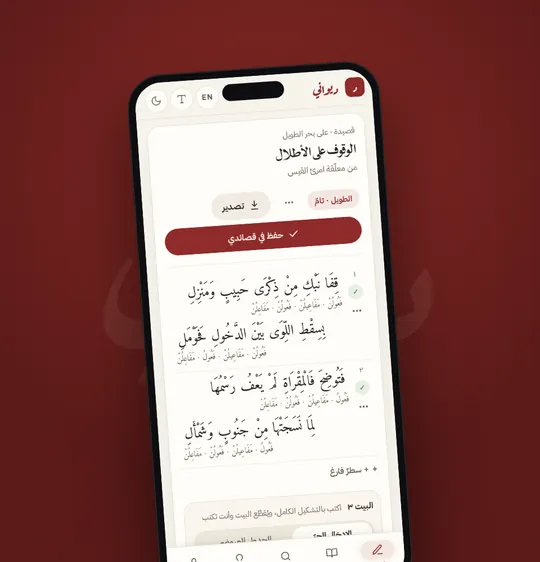
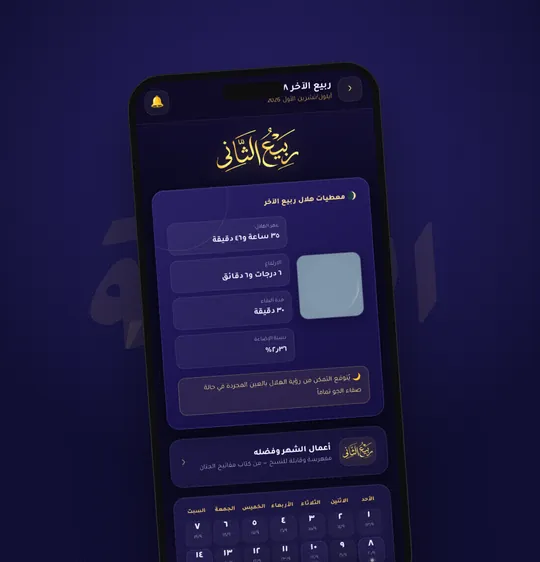
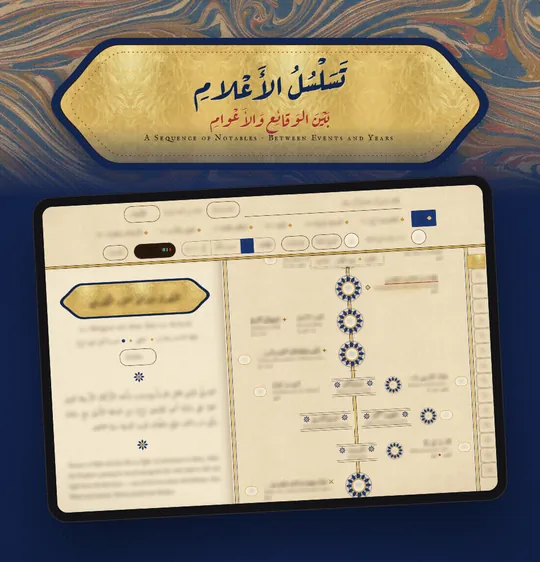
What it is
A product is a series of decisions about what to show, what to hide and what to call things. Good interface design makes those decisions once, consistently, so the person using it never has to think about the interface at all.
We design for both languages at once. Right-to-left is not a mirror of left-to-right: numbers, icons, reading order and typography each need their own answer, and we give them one from the first wireframe.
What you can order
Research and user flows
Who uses the product, for what, and the shortest honest path through each task, mapped before any screen is drawn.
Wireframes
The structure of every screen in grey, so we agree on what goes where before we discuss colour.
Interface design
Finished screens for each state, size and language, including the empty, loading and error states that are usually forgotten.
Prototypes
Clickable Figma prototypes to test with real people and to show decision-makers before anything is built.
Design system
Components, colours, type and spacing rules in Figma, kept in step with the code so the product stays consistent as it grows.
Reviews and redesigns
A review of an existing site or app, with its problems listed by how much they cost users, and redesigned screens for the worst of them.
Arabic versions
An Arabic or bilingual version of an existing product, designed for right-to-left rather than flipped.
How a project runs
- Brief: we learn the task, the users and the constraints, and write them down as the brief we design against.
- Structure: we map the flows and wireframe the screens, and review them with you in rounds.
- Design: we design the final interface, in both languages where needed, and prototype the parts worth testing.
- Handover: we hand over to development, ours or yours, with the system documented and every state covered.
What you receive
- A Figma file with every screen, state and size, organised so a developer can find what they need.
- Clickable prototypes of the main tasks.
- The design system: components, colours, type and spacing, with notes on how each behaves.
- Exported icons and images, and a handover session with the developers who will build it.
Good to know
Design, or design and build
We can hand the design to your developers, or build it ourselves as part of web and mobile development.
Real content
Real text makes better screens. We design with your actual content wherever we can, and point out where it is still missing.
Testing
Where possible, we try the prototype with a few real users before anything is built, and adjust from what we see.
Revisions
Every quote includes rounds of changes, agreed before the work begins.
Timeline
From 2 weeks, delivered in rounds you review as they come.
A good fit when
- You have an idea for a product and need it to become screens someone can build.
- An existing product has grown confusing, and a redesign would clear it.
- Your app needs an Arabic version that is designed, not flipped.
Tools we useFigmaFigJam for flowsAdobe tools for assets